
Guide · October 7, 2026
How to choose a CRM as a contractor: what it has to do
💬 CommentsWith five leads a week, a phone and a notebook are enough. With twenty, things start to slip: someone was not called back, an estimate went out three days late, an invoice was never sent. A CRM is one app that holds every customer, estimate, job and dollar. Here is what it has to do for a contractor, and how not to buy more than you need.
What a CRM does for a contractor
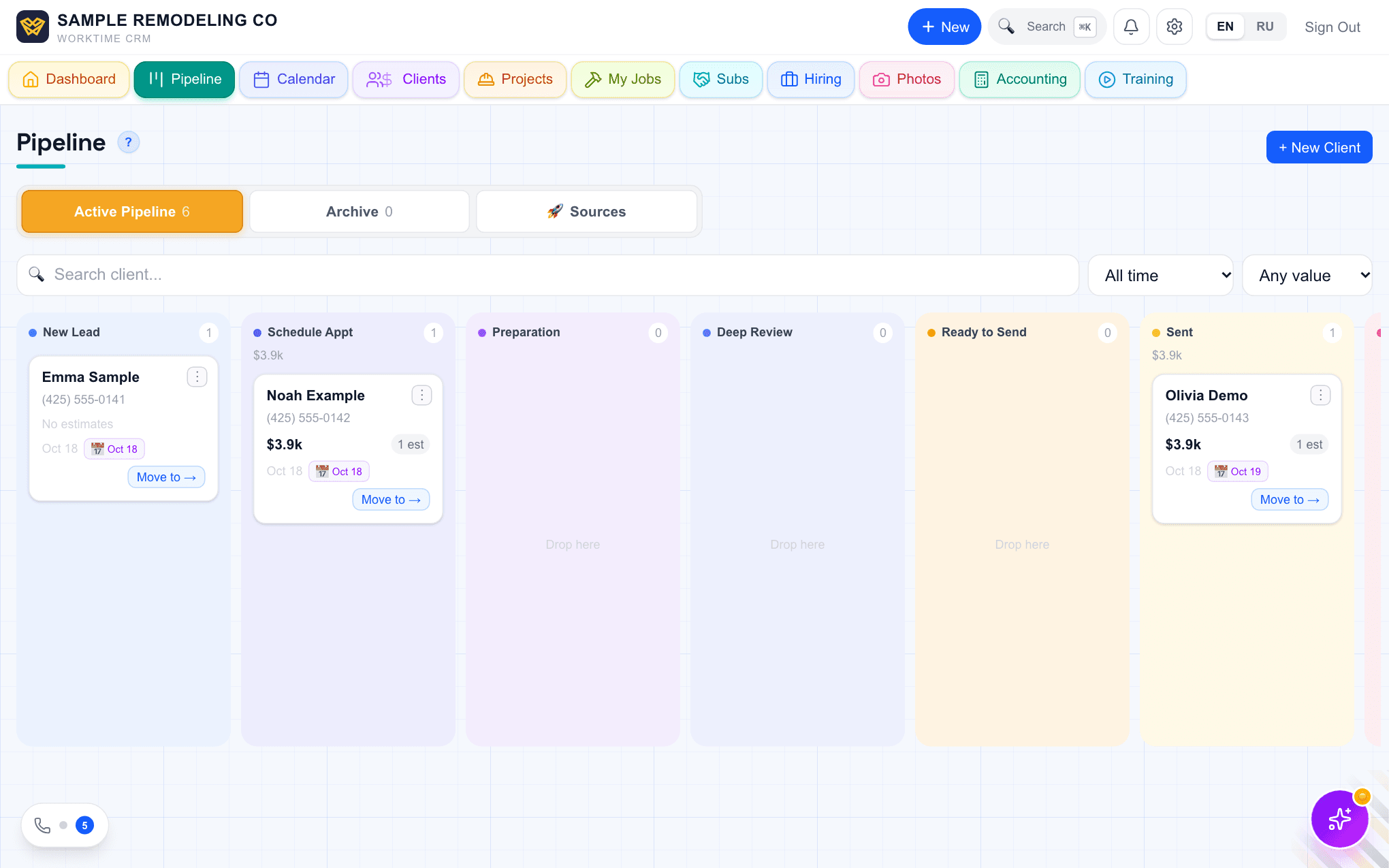
- Collects leads in one place: Thumbtack, Google, Facebook, Angi, your website, phone calls.
- Keeps the whole history with a customer: what they wrote, when they called, what was promised.
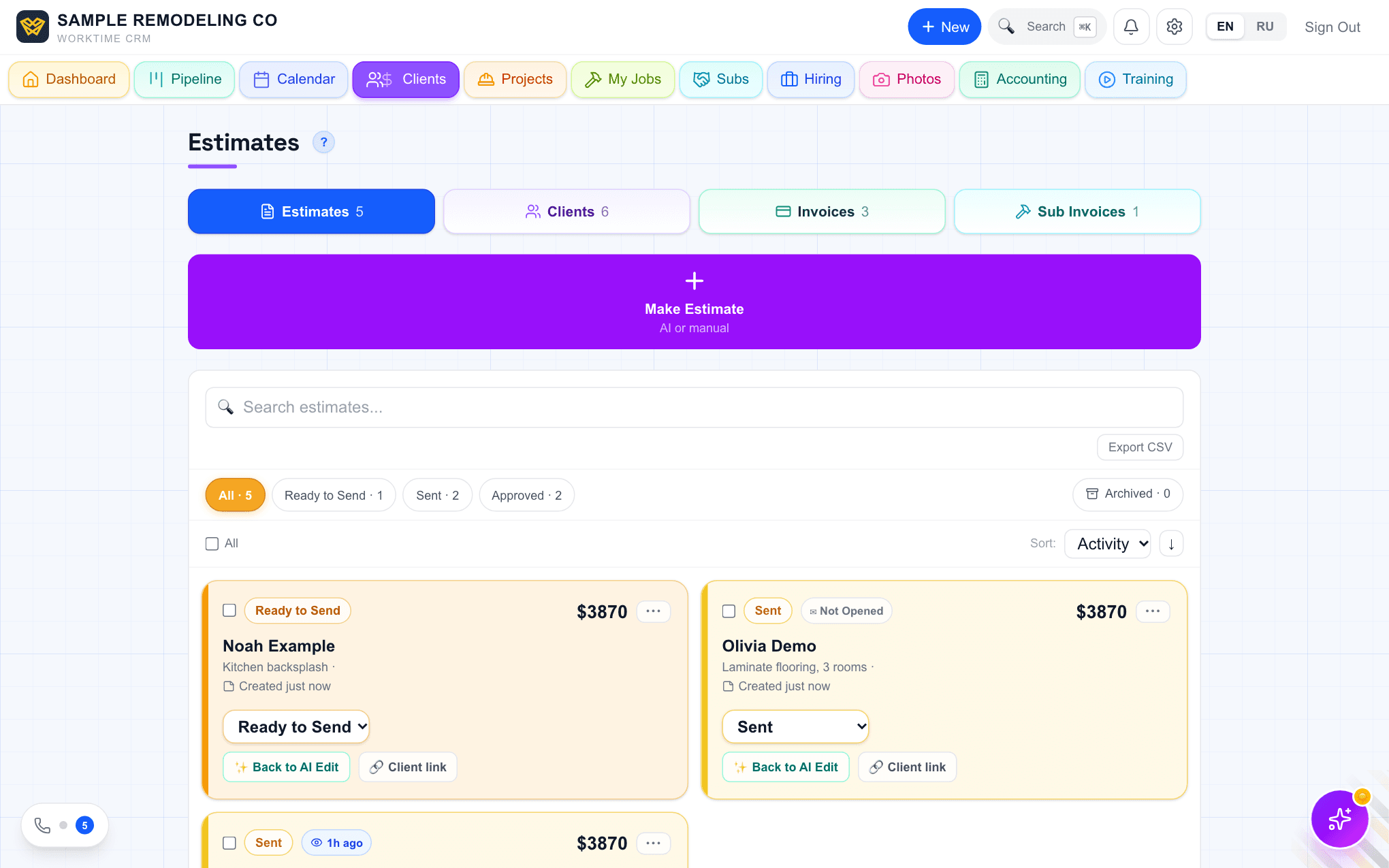
- Helps you get an estimate out quickly and signed online.
- Sends the invoice and takes the payment.
- Shows which jobs are running, who is on them and what is left.
Five things to check before you pay
There is a lot of software, and most of it is built for plumbers and cleaners with short service calls. Remodeling works differently: long projects, estimates with dozens of lines, extras that appear halfway through. Check five things.
- Leads arrive on their own. Not "copy it from the email", a direct connection to the platforms you pay for.
- An estimate is fast. Ideally the day of the visit, before the customer has a number from someone else.
- The customer signs and pays from a phone. No printouts and no meeting just for a signature.
- The price does not grow with every employee. Per-user pricing quietly doubles the bill when you hire.
- Language. If you and your crew are more comfortable in another language, the interface has to be in it, not only the support line.
How WorkTime CRM handles each
WorkTime CRM was built by a working contractor near Seattle, first for his own company. The whole app works in English and in Russian, switched with one button.
Thumbtack leads arrive directly, with the customer's phone, and the app can send your first message into the Thumbtack chat within seconds. Google Local Services, Facebook and Instagram ads, Angi and your website form connect as well, all in Settings → Connections.
The AI drafts an estimate from job photos, priced from your own pricebook; you check it and correct it. The customer signs online. An invoice can be paid by card, or marked paid by Zelle or check.
An AI assistant answers the phone when you cannot. It runs on your own Twilio and Vapi accounts, which you pay for separately.
One price: $99 a month per company, team members included. 7 days free, no card needed.
When you do not need one yet
If you have two or three steady customers and almost no new leads, software will change nothing. It pays off when there are more leads than you can hold in your head, or when a second person needs to know what you know.
Questions
I work alone. Is a CRM too much?+
Alone you need three things: every lead in one place, an estimate the same day, and an invoice the customer pays by card. You can ignore the rest.
I already have customers in another program. Can they come over?+
Yes. Clients, jobs and invoices import from a CSV file, with AI matching the columns. You can also send the files to us and we import them free, usually within one business day.
How long does it take to start?+
Signing up and adding your first customer takes minutes. Connecting lead sources is a few minutes each; the phone assistant takes longer because it needs your own phone accounts.
💬 Discuss this article
Comments, likes and Ivan's answers live on the original page.
Open the comments →Work Time CRM
Every lead gets an answer: AI on the phone, estimates from a photo, payments and the whole job in one app.
Read next
Original on app.worktimealliance.com/guides/how-to-choose-a-contractor-crm